Operion ThemeSmart Theme · Operion identity for ERPNext 16
Same ERPNext. Your brand. Better days.
Your same ERPNext, with a brand-new identity
Operion Theme, also known as Smart Theme, gives ERPNext 16 a modern identity without changing your data, permissions or the way the system works. An apps screen with live badges, a home page built on your real numbers, a Morning Brief for owners, a clear journey for every document, 140+ unified print formats, and a comfortable desk on computer, tablet and phone, in Arabic and English, light and dark.
A glossy apps screenA home page on your real numbersSmart top bar and quick searchSelling dashboardDocument flowMorning BriefA real phone experienceDark mode and language switchUnified prints for every documentCashier receiptProfessional ArabicYour own identityA glossy apps screenA home page on your real numbersSmart top bar and quick searchSelling dashboardDocument flowMorning BriefA real phone experienceDark mode and language switchUnified prints for every documentCashier receiptProfessional ArabicYour own identity
140+ready print formats
21,000strings professionally translated
3screen sizes: computer, tablet, phone
0core files modified
Before & after
A working day before and after Operion Theme
Same data, same system, but the way your team starts its day changes completely.
Default desk
Starting the day
A long sidebar and a screen with no numbers, so you start by hunting for your work.
Owner follow-up
Several reports to find cash, receivables and revenue, then document hopping to approve each one.
Document journey
Open the order, then the delivery note, then the invoice, just to see what is done and what is pending.
Working from a phone
Small buttons and crowded menus turn creating an invoice on a phone into a chore.
vs
With Operion Theme
Starting the day
An apps screen that greets you by name, with red badges showing where work is waiting.
Owner follow-up
A Morning Brief on one screen and in the inbox, with business health and direct Approve buttons.
Document journey
One bar on top of the document shows the steps done, the next step and the linked documents.
Working from a phone
A bottom bar and a + button create documents in one tap, with a fixed total and Save bar.
Product video
Meet Operion Theme
A quick motion tour of what the product does.
Feature tour
A tour of Operion Theme
The screens your team uses every day, as they appear on ERPNext 16.
01Apps screen
Every module on one screen
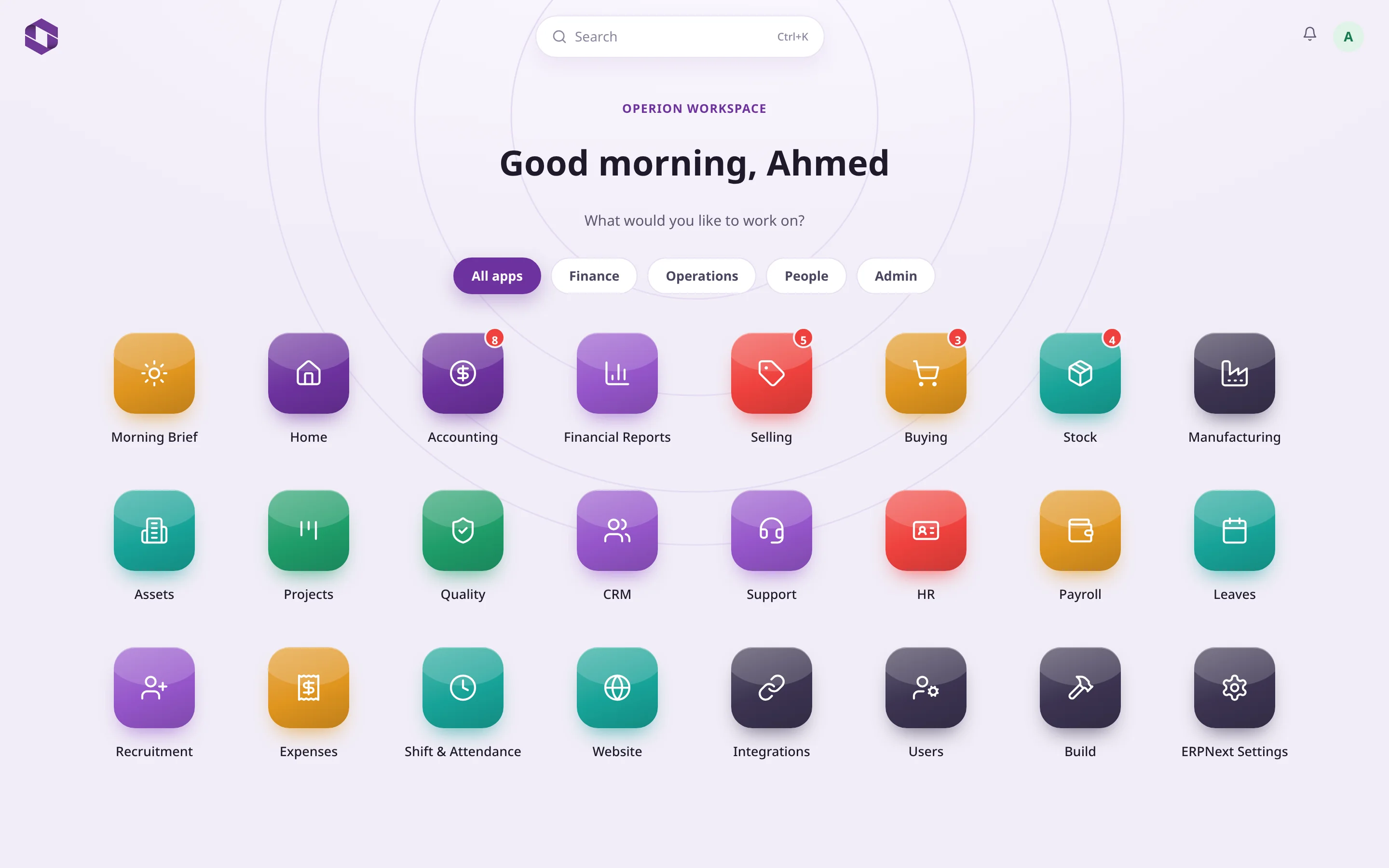
Your starting point after login. Glossy icons sorted by filters, and live red badges that appear only when something needs you.
Finance, Operations, People and Admin filters
Badges for overdue invoices, draft POs and low stock
Quick search and notifications at the top
Extra apps appear automatically with their icons
Quick filtersLive badgesMorning Brief
02Home
Your day, on your real numbers
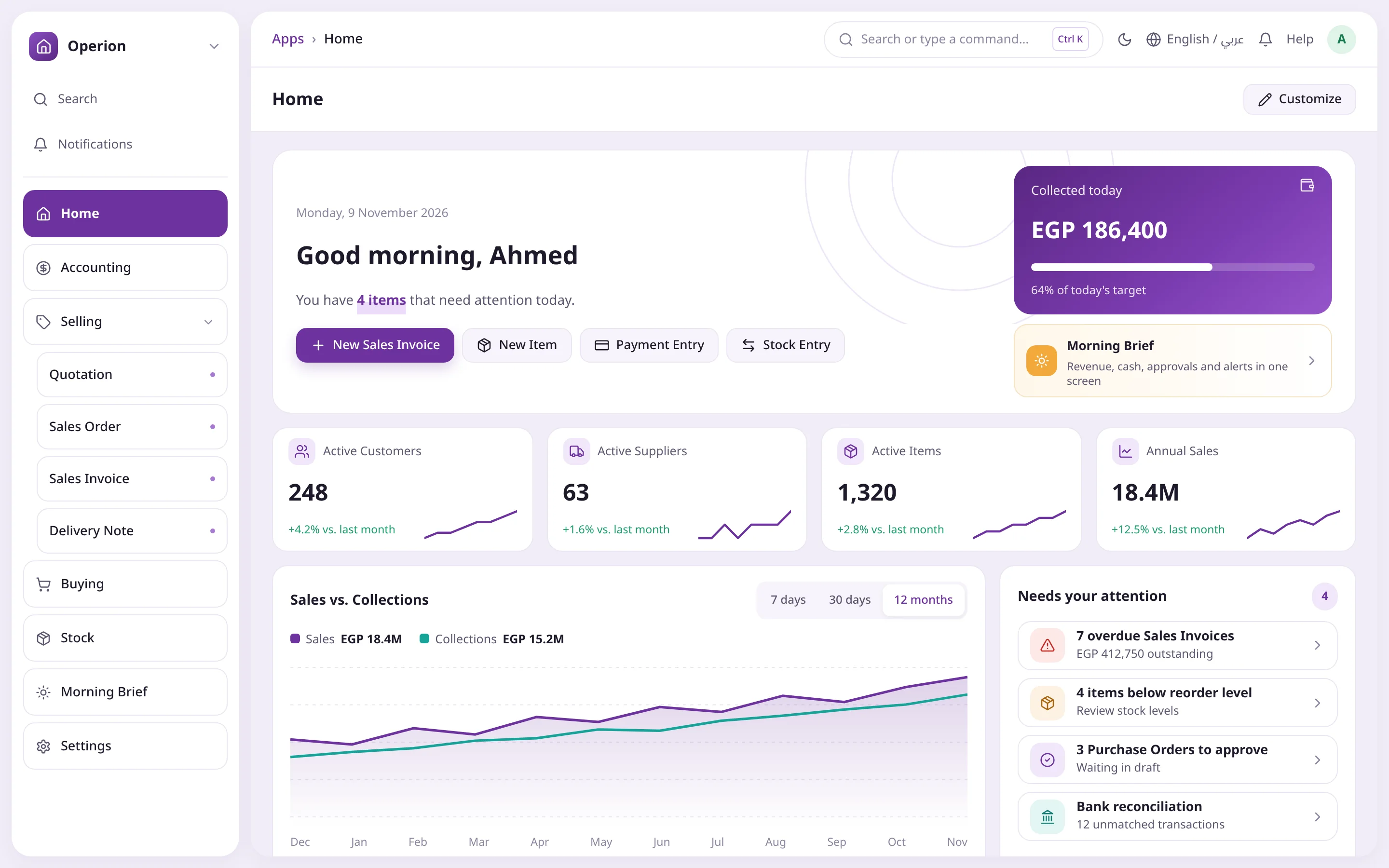
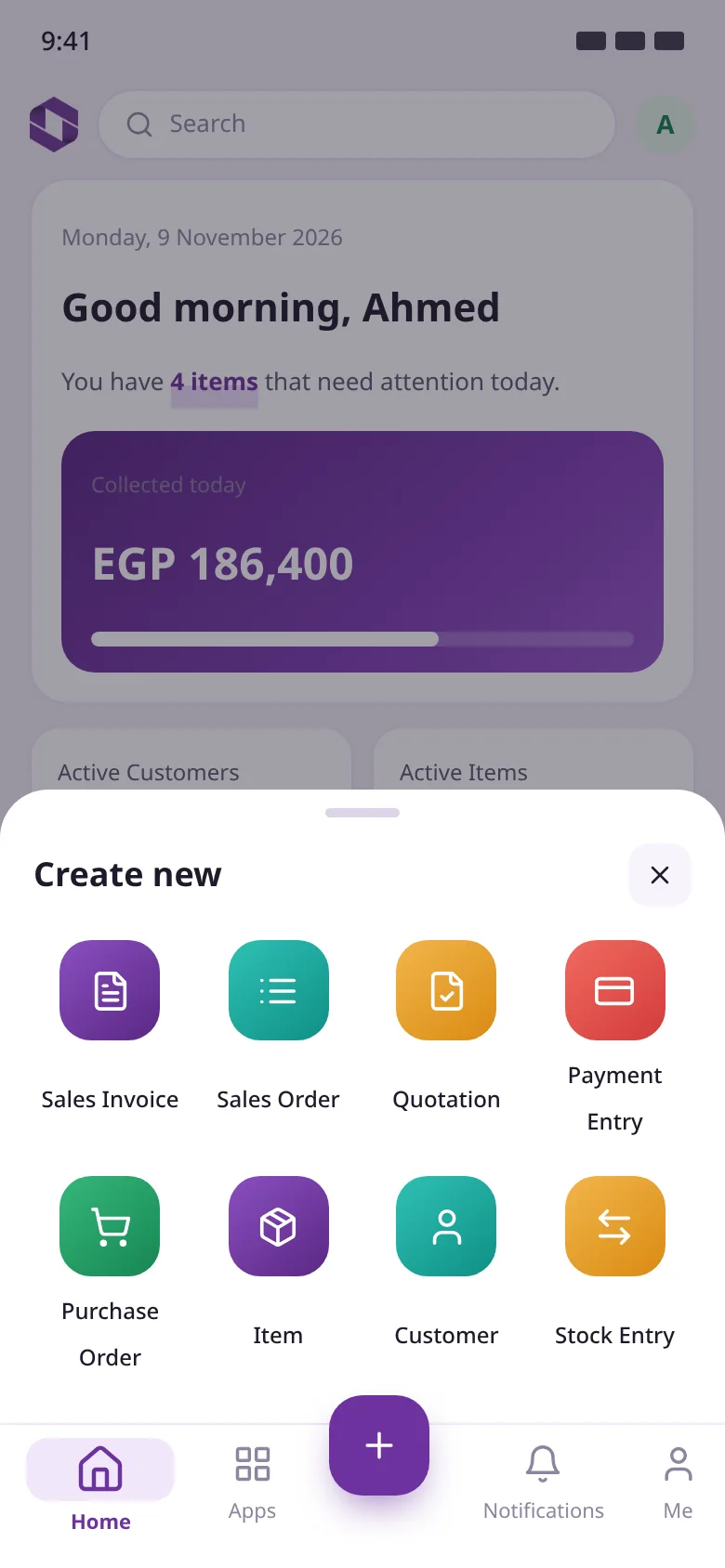
A personal greeting and the number of items that need you today, with shortcuts to your most used documents and KPIs built on your company's data.
Sales Invoice, Item, Payment Entry and Stock Entry in one click
Collected today vs. yesterday or the target
Four KPIs with sparklines vs. last month
Sales vs. Collections for 7 days, 30 days or 12 months
Quick actionsCollected todayPick the period
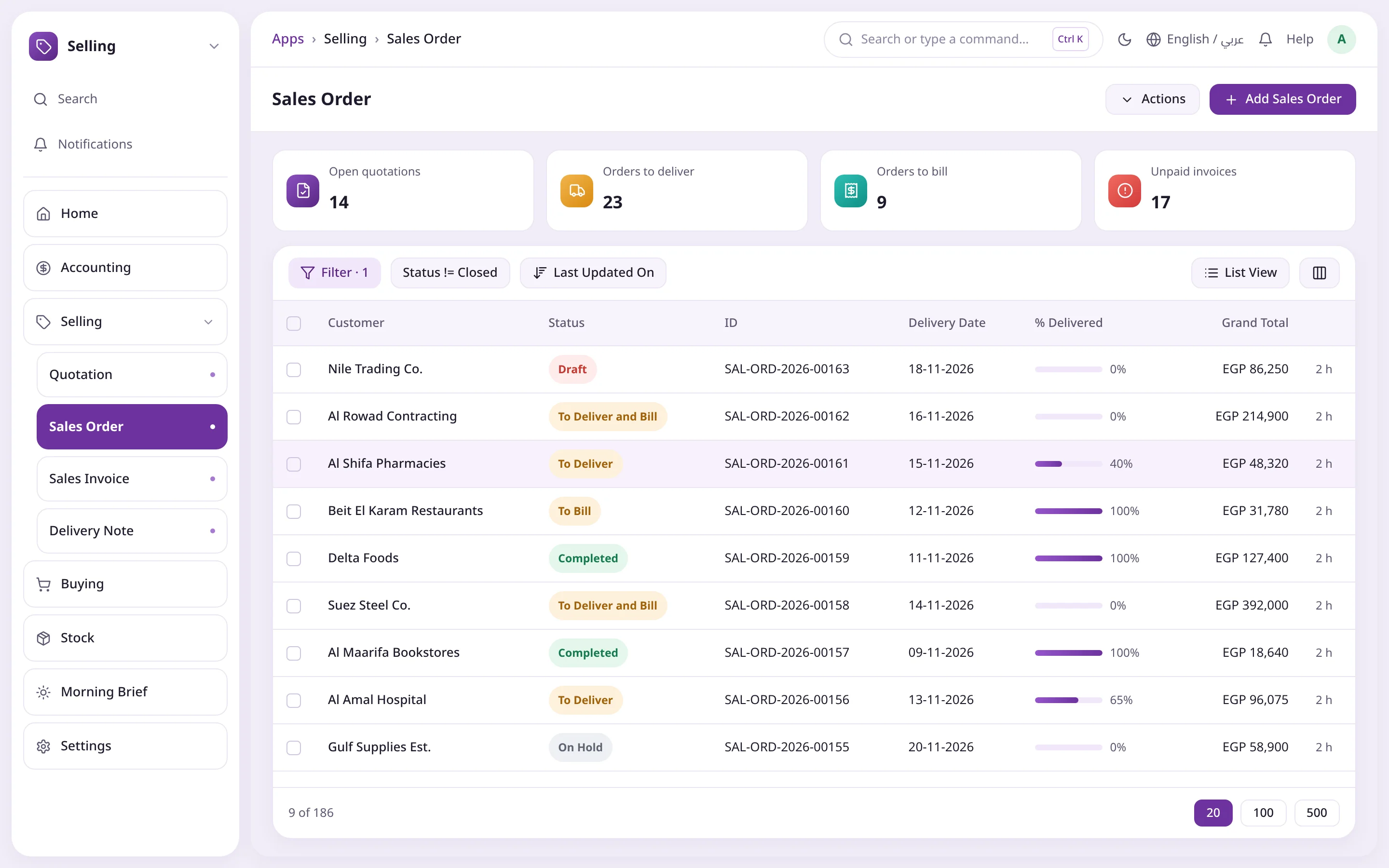
03Selling
From quotation to cash
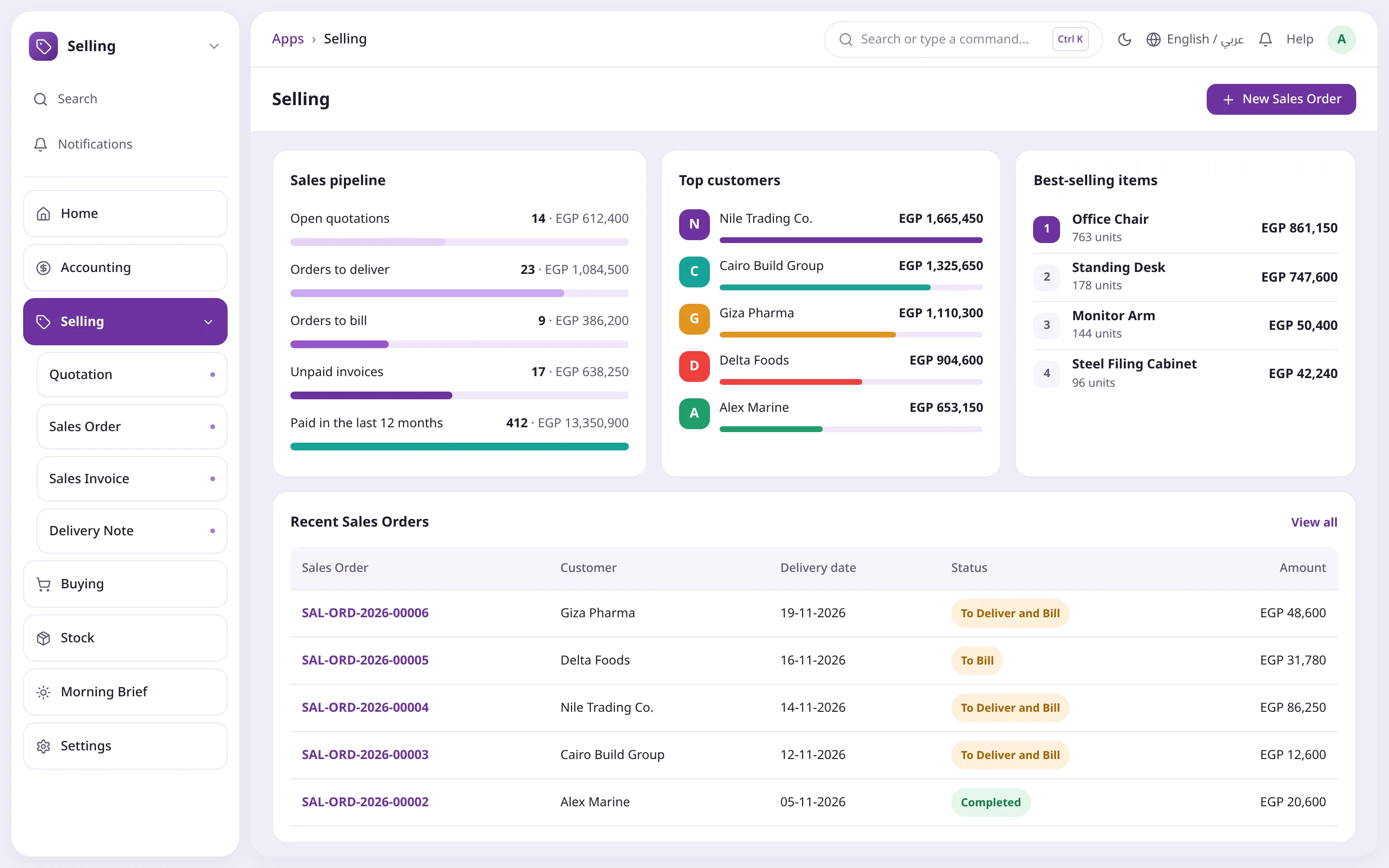
Your whole sales picture on one page. Click any stage or customer to open the documents behind the number.
Open quotations, orders to deliver and to bill
Unpaid invoices and paid in the last 12 months
Top five customers by sales value
Recent sales orders with their status
Sales pipelineTop customersOrder status
04Documents
Every document knows where it is
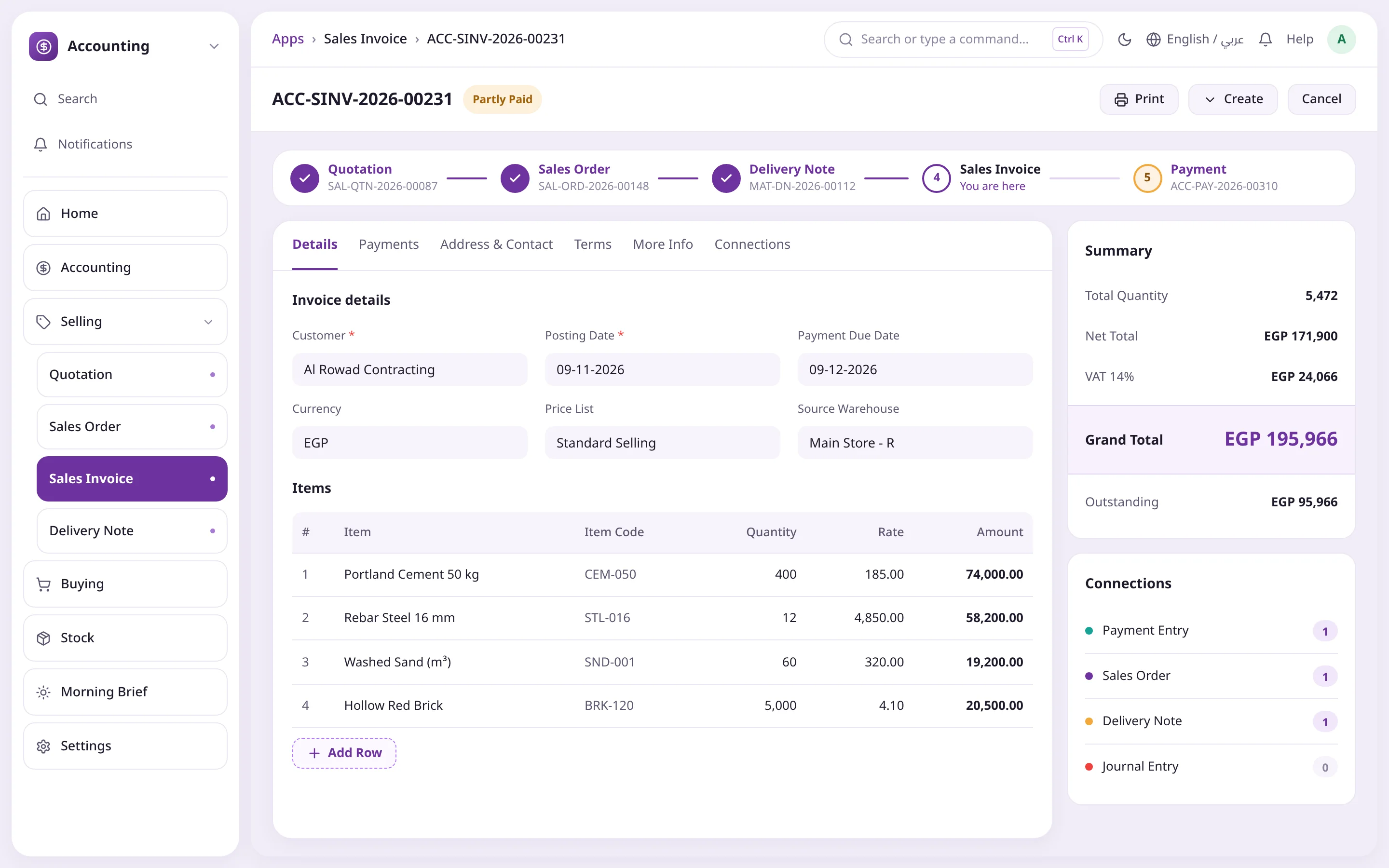
A flow bar shows where the document sits in the cycle, with a financial summary and counted connections, so you see at once what is done and what is pending.
Summary with quantity, net, grand total and outstanding
Connections to payments, orders, delivery notes and journals
Fixed total and Save bar on tablets and phones
You are hereGrand totalConnections
05Morning Brief
Your morning on one screen
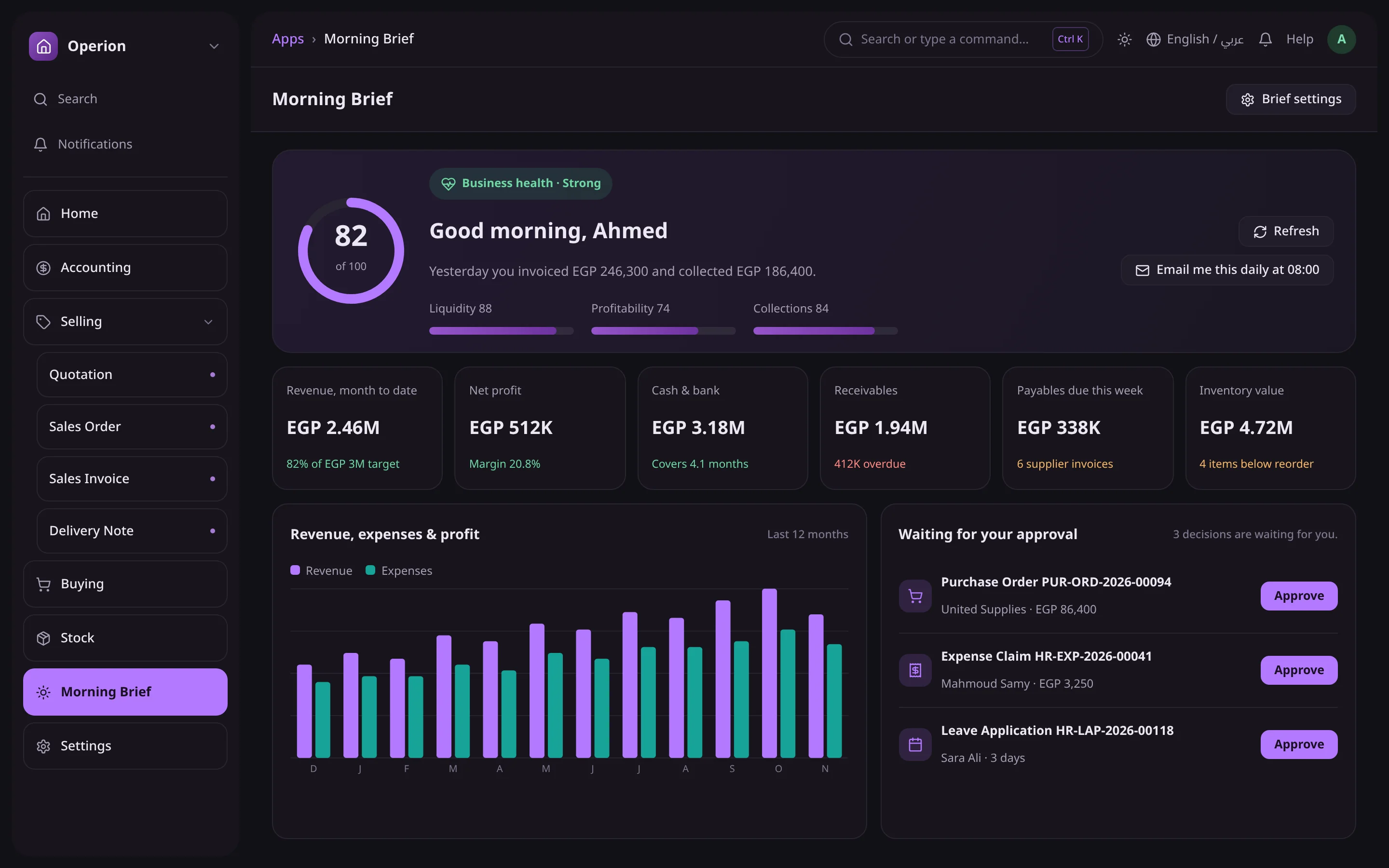
Everything an owner cares about, from the system's real numbers: business health, revenue, profit, cash and receivables, with one-click approvals. Emailed every morning at 08:00.
Business health score out of 100
Six key financial figures
Revenue and expenses for the last 12 months
Approve POs, expense claims and leave
Business healthDaily email at 08:00One-click approval
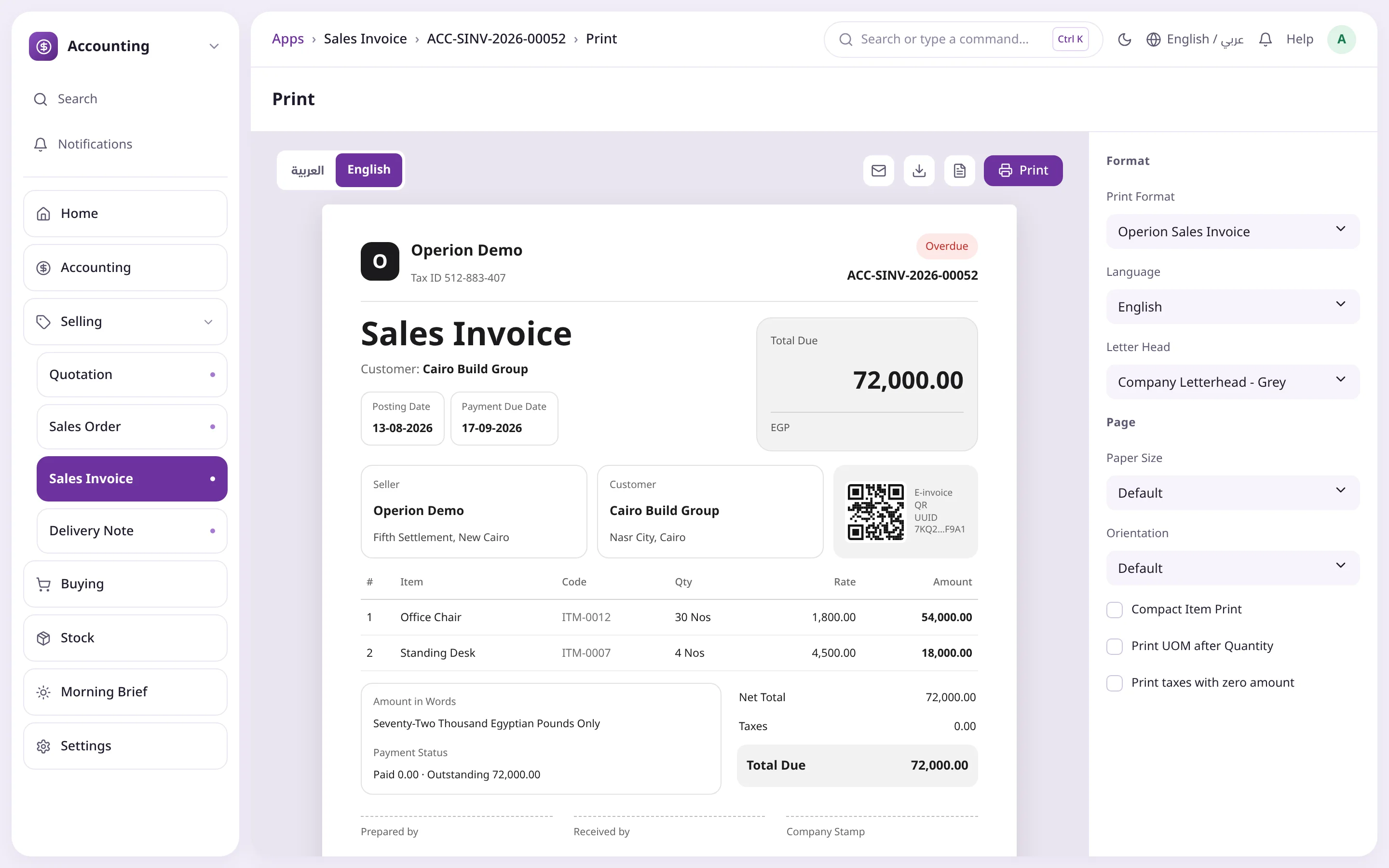
06Printing
Prints in your brand
One modern format for 140+ documents, with the logo and details from the Company record, printed in the user's language with an instant Arabic / English switch.
Operion format as the default for every document
Egyptian e-invoice QR
Bilingual Saudi tax invoice
Header and footer repeat on every PDF page
Print languageOperion formatE-invoice QR
Quick filtersLive badgesMorning Brief
Quick actionsCollected todayPick the period
Sales pipelineTop customersOrder status
You are hereGrand totalConnections
Business healthDaily email at 08:00One-click approval
Print languageOperion formatE-invoice QR
Every feature
What Operion Theme adds to your system
Improvements in look and speed of access across every screen you use daily, while your data and permissions stay exactly as they are, in Arabic and English, light and dark.
A glossy apps screen
Your starting point after login: every module as a clear icon, with a greeting by name. Red badges tell you where work is waiting.
Finance, Operations, People and Admin filters
Badges for overdue invoices, draft POs, low stock and orders to deliver
Any extra app you install, like Smart Go or Helpdesk, appears automatically with its icon
A home page on your real numbers
A personal greeting and shortcuts to your most used documents. KPIs and charts built on your company's actual data.
Collected today vs. yesterday or today's target
Customers, suppliers, items and annual sales with sparklines and green or red arrows
Sales vs. Collections for 7 days, 30 days or 12 months
A Needs-your-attention list that opens the filtered list directly
Smart top bar and quick search
Every page has the same fixed parts, so you always know where things are. Type part of a name and get the list, the report and a new document in one go.
Breadcrumb, search, dark mode, language and notifications on every page
Ctrl + K quick search, Ctrl + G global search, Ctrl + S to save
Icon rail with names on hover, and a module menu you can hide
Selling dashboard
Your whole sales picture on one page, from open quotations to collected invoices.
Sales pipeline with the count and value of every stage
Top five customers and best-selling items by value and quantity
Recent sales orders with delivery and billing status
Document flow
One bar shows where you are in the document cycle and what comes next. Plus a financial summary and connections, without searching.



 Quick filtersLive badgesMorning Brief