 Operion Journal
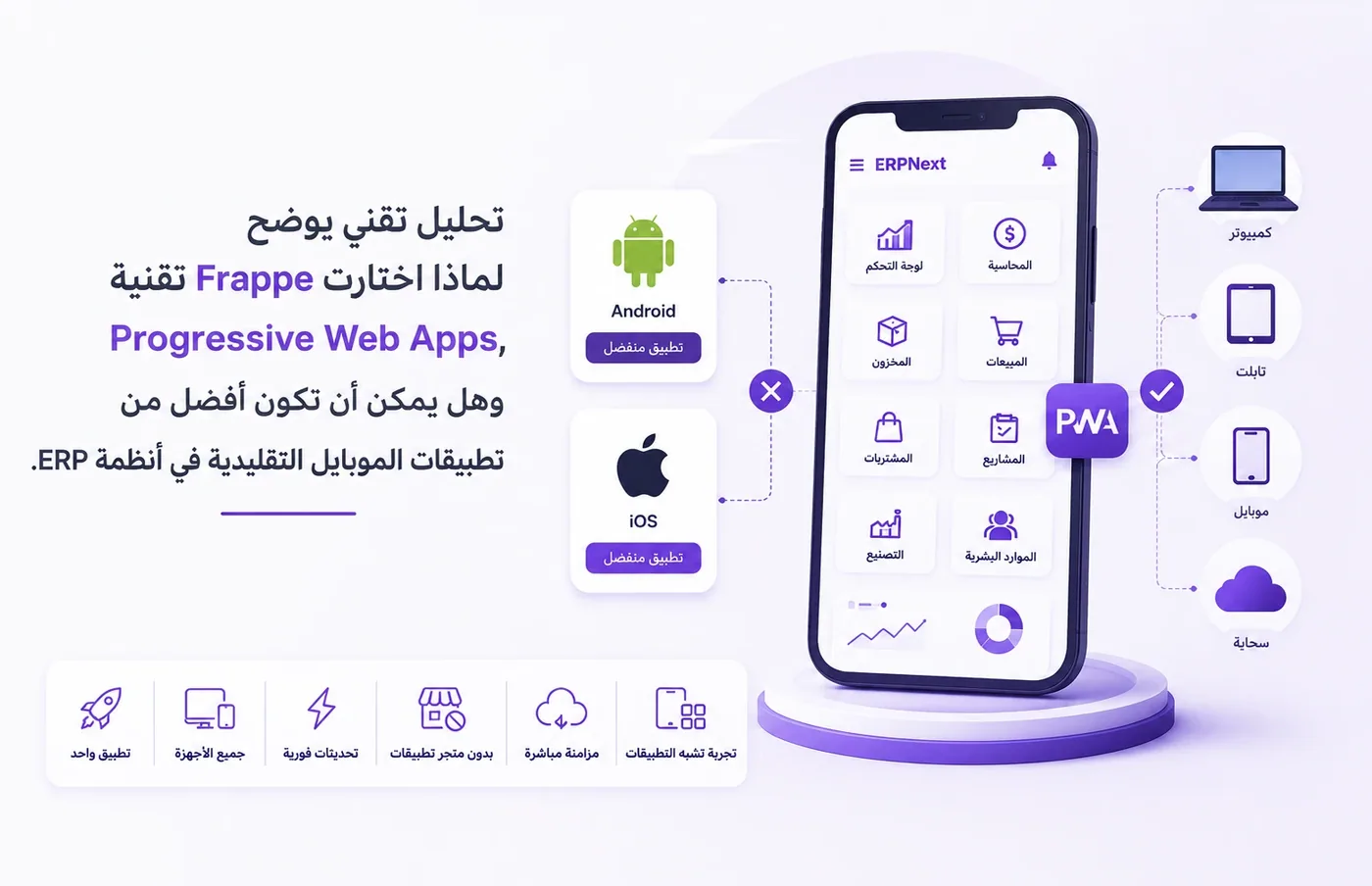
When people first search for the ERPNext mobile app, many expect to find an official app on Google Play or the Apple App Store. They're surprised to find the experience is built on a Progressive Web App (PWA). Is that a weakness? Or is it an engineering and strategic decision Frappe made to deliver a more stable, faster and more scalable experience?
PWA Explained
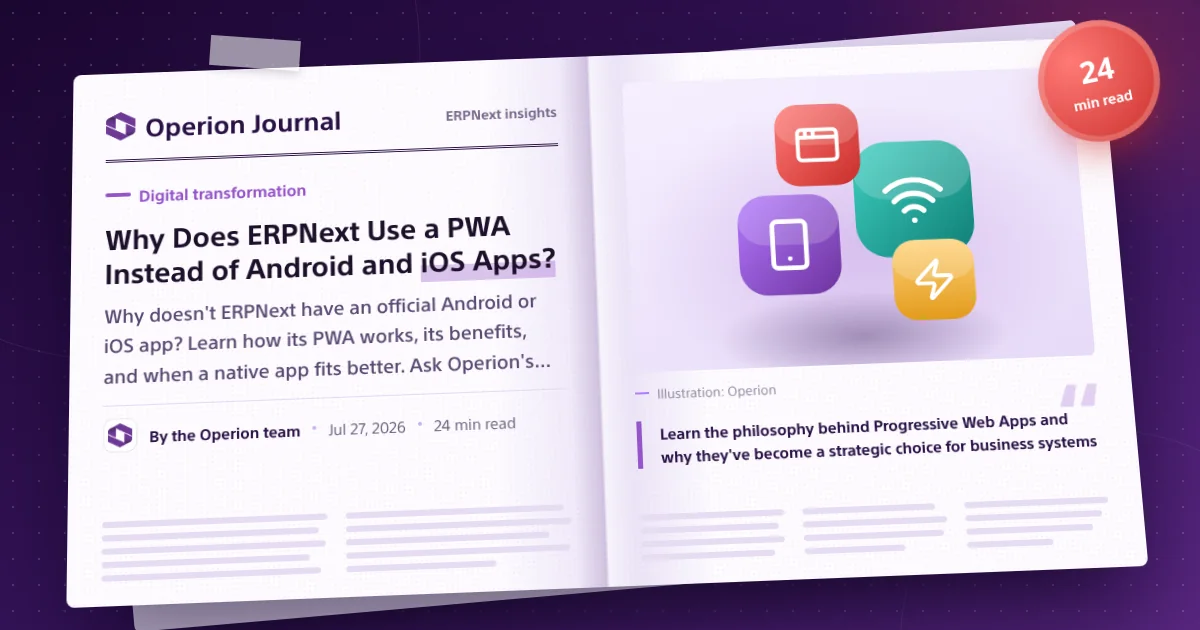
Learn the philosophy behind Progressive Web Apps and why they've become a strategic choice for business systems.
ERPNext Mobile
How to use ERPNext efficiently on your phone without a separate native app.
Install ERPNext on your phone with no app store and no waiting
What will you learn in this guide?
Why is there no official ERPNext app?
Understand the technical and strategic reasons behind Frappe's decision.
What is a Progressive Web App?
A simple explanation of how PWAs work and how they differ from traditional apps.
Does a PWA offer an app-like experience?
Camera, barcode scanning, notifications, installation on your phone, and automatic updates.
When is a native app the better choice?
A practical comparison to help you choose the right technology for your company's needs.
One Platform
One interface that works on the web, phones and tablets.
Instant Updates
Instant updates for all users, with no waiting on app stores.
Cross Platform
Runs on Android, iPhone, Windows and macOS from a single codebase.
Enterprise Ready
Built for companies and organizations with many branches and users.
Technologies covered in this guide
ERPNext Frappe Framework Progressive Web App Android iOS Google Chrome Safari Microsoft Edge
Learn the philosophy behind Progressive Web Apps and why they've become a strategic choice for business systems
What will you discover in this article?
We won't stop at answering "Where is the ERPNext app?" We'll analyze Frappe's philosophy of relying on PWA technology, with a practical comparison between progressive web apps and traditional apps to help you choose the right solution for your business.
Understanding Frappe's philosophy
Why the platform chose to invest in a modern web experience instead of standalone apps.
A simple technical analysis
How does a PWA work, and what makes it so close to a traditional app?
A practical comparison
When is a PWA the best choice, and when is native the better fit?
A decision guide
The key criteria that help you choose the right technology for your company.
Why is everyone searching for an ERPNext mobile app?
When users first discover ERPNext, the first thing that comes to mind is to look for an official app on Google Play or the Apple App Store. For many, the absence of a traditional app is unexpected, especially with smartphone apps everywhere in daily life. But does that mean ERPNext doesn't support phones? Or is there a different philosophy behind the decision?
First impressions
Most users expect any modern business system to have an official app in the app stores, just like popular consumer apps.
The questions begin
When no official app turns up, the questions start: Does the system not support mobile? Is something missing? Or is there a technical reason behind this choice?
Discovering the truth
Looking deeper into Frappe's philosophy, it becomes clear that choosing PWA wasn't a forced fallback. It was an engineering decision aimed at delivering a unified experience that's easier to develop and maintain.
The most common searches users make
These are the questions thousands of users type when they first encounter ERPNext.
Does ERPNext support Mobile?
The user journey: from questions to discovery
Most companies go through the same sequence when they first meet ERPNext, before they come to understand Frappe's philosophy of delivering a modern, web-based experience.
Searching for the app
Users start by searching Google Play or the App Store, expecting an official app they can download right away.
Question marks appear
Not finding an official app leads users to wonder about phone support and what the system can do beyond a computer.
Understanding ERPNext's philosophy
Users discover that ERPNext delivers a full experience in the browser using PWA technology, with no need for a separate app for each operating system.
Realizing the benefits
After using the system, it becomes clear that quick access, instant updates and easy management are practical advantages that in many cases beat traditional apps.
- A separate app for each operating system.
- Downloading the system from an app store.
- Updating the app manually.
- Managing multiple versions of the app.
- A different experience on Android and iPhone.
- One interface that works on every device.
- No need to download from stores.
- Updates come straight from the server.
- One version for all users.
- A similar experience on every platform.
No official app doesn't mean no mobile experience
One of the biggest misconceptions is that having no app in an app store means the system doesn't support smartphones. In fact, the ERPNext experience is designed to run directly in the browser using Progressive Web Apps (PWA) technology, which gives users an experience very close to traditional apps, with added advantages in management, updating and maintenance.
What is PWA technology?
Now that we know why ERPNext isn't in the app stores, it's time to understand the technology Frappe adopted, and why it sees it as the future of modern business apps.
Business Applications vs Consumer Applications
Why are ERP apps different from consumer apps?
A common comparison is between ERP systems and apps like WhatsApp, Instagram or banking apps. Although all of them run on smartphones, the nature of use, number of users, development approach, and security and management requirements are fundamentally different. That explains why modern business systems like ERPNext are designed and experienced differently.
Business applications
Built to manage everyday operations inside companies, such as accounting, inventory, sales, manufacturing, HR and the supply chain, with a focus on productivity, data and permissions.
Consumer applications
Focused on the individual user experience, ease of access and quick interaction, and often aimed at millions of users performing simple, repetitive tasks.
The nature of the user
An ERP is used by employees, managers and people with different permissions inside an organization, while consumer apps usually serve an individual user with roughly the same experience.
Process complexity
A single process in an ERP may pass through several stages of review, approval and audit, while most consumer apps perform simple, direct actions.
Data and permissions
ERP systems rely on multiple permission levels, audit logs and sensitive data management, requirements that differ fundamentally from apps aimed at the end consumer.
Examples that show the difference in practice
Just look at the everyday tasks inside each type of app to understand why the design and development philosophy differs.
A consumer app
- Sending a message.
- Posting a photo.
- Making a payment.
- Requesting a service.
An ERP system
- Creating a sales order.
- Reserving inventory.
- Approving the order.
- Issuing an invoice.
- Recording accounting entries.
- Updating reports in real time.
How does this difference affect how the system is built?
The more complex the processes inside an ERP, the more priority goes to stability, ease of maintenance and a unified user experience, rather than building a separate app for each operating system.
One platform
Relying on a single platform reduces development complexity and ensures all users get the same capabilities regardless of device type.
Faster updates
Instead of waiting for app store review, updates can be deployed directly to all users as soon as the system is updated.
Simpler management
Having one version cuts technical support costs and makes version and permission management easier inside organizations.
The takeaway to remember
An ERP is not a consumer app
It serves a company's operations, not simple individual use, so its design priorities are different.
A unified experience matters more than the store
The goal is for all users to get the same functions and updates, with no differences between systems.
Maintenance is a deciding factor
Every additional version of an app means more testing, updates and technical support, which ERP platforms try to minimize.
A considered technical choice
Relying on PWA reflects an engineering decision that balances performance, management and ease of development over the long term.
Why does this lead directly to PWA technology?
When the priority is running a complete business system on every device, with instant updates, central management and a unified user experience, it's natural for a platform to turn to Progressive Web Apps (PWA) instead of building standalone apps for each operating system. That is the foundation of Frappe's decision in building the ERPNext mobile experience.
Now that we understand the fundamental difference between ERP systems and consumer apps, we'll look at Progressive Web Apps: how they work, and why they've become the preferred choice for many modern business platforms.
Progressive Web Apps (PWA)
What are Progressive Web Apps (PWA)?
To understand why ERPNext relies on Progressive Web Apps (PWA), you first need to know that this technology is not just a website, and it isn't a traditional app downloaded from an app store either. It's a modern model that combines the best of both worlds to deliver a fast, secure experience that works across different devices.
What does PWA mean?
A Progressive Web App is an app that runs through the browser but offers an experience similar to traditional apps in speed, ease of access and the ability to be installed on the home screen, without needing a separate version for each operating system.
That's why PWA has become an increasingly popular choice for modern business apps that want a balance of performance, ease of development and lower maintenance costs.
Progressive Web App
One Experience, All Devices
One platform
Runs on different devices and operating systems from a single codebase, with no need to develop separate apps.
Quick installation
Users can add the app to their home screen directly from the browser in seconds, without visiting an app store.
Instant updates
All users get the latest version right after the system is updated, without waiting for app store approval.
A similar experience
Offers an interface very close to traditional apps while keeping management and development simple.
Traditional website or PWA?
Although both run in the browser, the user experience is very different.
- Opens only inside the browser.
- Can't be installed easily.
- Looks like traditional web pages.
- A less app-like experience.
- Can be installed on the device.
- Opens like an app.
- A smoother interface.
- Designed for a modern user experience.
How does a PWA work?
From the user's point of view the process is very simple, but behind the scenes several technologies work together to deliver an experience close to a traditional app.
Open the system
The user opens ERPNext in the browser as if visiting any website.
Add to the home screen
The user can install the app directly so it appears with its own icon on the phone, without needing an app store.
A unified user experience
The app runs in its own window with an experience close to traditional apps on different devices.
The core components of PWAs
Service Worker
Helps manage some resources locally and improve load speed, and can support certain scenarios when the connection is weak or lost.
Web App Manifest
Defines the app's name, icon and launch behavior so it appears as a standalone app once installed.
HTTPS
PWAs rely on a secure connection, one of the basic requirements for a trustworthy user experience.
Why has PWA become an important choice for business apps?
Easy installation
The app can be added to the home screen in seconds without going through app store procedures.
Automatic updates
Users get the latest version as soon as the system is updated, with no need to download a new version manually.
A modern user experience
Users feel like they're using a standalone app, with a smoother, more organized interface.
Less complexity
One platform helps reduce multiple versions and simplifies development and maintenance.
The core idea behind PWA
The goal of Progressive Web Apps isn't to replace all traditional apps. It's to deliver a modern experience that combines the ease of web access with capabilities that make an app feel close to a native one, which explains the growing interest in this technology across many business apps.
Why did Frappe choose PWA?
Now that we understand the concept of PWA and how it works, it's easier to see why the Frappe team invested in this technology instead of building standalone apps for Android and iOS. In the next section we'll walk through the technical and practical motivations.
The key benefits of PWA in ERPNext
Now that we understand why Frappe chose Progressive Web Apps (PWA), the most important question for users remains: what do I get when I use ERPNext this way? The goal wasn't simply to do without Android and iPhone apps, but to deliver a practical user experience that fits the day-to-day nature of ERP systems.
An experience like a traditional app
From the user's point of view, the system works very much like a traditional app, while keeping the flexibility of the web and access from different devices when needed.
In many cases, users may not even notice they're using a PWA rather than a native app.
A unified experience
The goal is for users to get a similar experience whether they're on a phone, tablet or computer, with a familiar, easy-to-use interface.
Install on the home screen
Users can add ERPNext to the home screen so it appears like any other app, with its own icon, its own window and an experience close to traditional apps.
Automatic updates
Users generally don't need to visit an app store or wait to download a new version. Updates are simpler than with traditional apps, which helps people use the latest version of the system.
A standalone window
Once installed, ERPNext can run in its own window without the browser bar, making the experience feel closer to native apps.
A familiar user experience
Users get an experience very close to traditional apps, so much so that many forget they're using a web-based app.
Making use of phone capabilities
A PWA isn't limited to displaying web pages. It can use a number of device capabilities to support work scenarios inside ERPNext.
Camera
The camera can be used for scenarios like taking photos or scanning barcodes and QR codes, depending on the browser and device.
Location
PWAs can access location when the device and browser settings allow it.
Barcode and QR scanning
The camera can be used to scan barcodes or QR codes in scenarios supported by the browser and device.
Extra features that support daily work
Beyond easy installation and updates, PWAs can take advantage of a number of modern device capabilities, which makes them suitable for many work scenarios inside ERP systems.
Push Notifications
PWAs support notifications in many modern environments, though the level of support varies by operating system and browser version. This allows alerts such as document approvals, new task assignments or order status updates.
Sync after reconnecting
Developers can store some data or pages locally so certain functions keep working, then sync the data when the network connection returns, depending on the scenario the app was designed for.
File access
PWAs can work with files, upload images and use a number of device capabilities where the browser provides the right support.
An integrated business experience
PWA combines the ease of web access with an experience close to traditional apps, which fits the needs of a large share of ERPNext users in their daily work.
What about working offline?
What can a PWA offer?
Developers can choose specific parts or pages to store locally so some functions keep working, then sync when the connection is restored.
Important to know
Most ERP operations depend on a connection to the company's server to get the latest data, so fully offline work isn't the primary scenario in ERPNext, even with PWA technology.
What have we learned?
ERPNext can be installed on the home screen and run in a standalone window that resembles traditional apps.
Updates are simpler, which helps users get the latest version without traditional update procedures.
A PWA can use capabilities such as the camera, barcode scanning, file uploads and notifications, depending on browser and device support.
In ERP systems, a server connection remains necessary for most operations, though the experience can be improved in some scenarios when the connection is weak.
Comparing PWA with Android and iPhone apps
After reviewing the main advantages PWA technology offers inside ERPNext, we'll move to a practical comparison between progressive web apps (PWA) and native apps, focusing on the scenarios each option suits.
PWA vs Android and iPhone
Now that we understand the concept of Progressive Web Apps (PWA) and their key advantages inside ERPNext, the question most business owners and IT teams ask remains: is a PWA better than Android and iPhone apps? The answer isn't absolute. It depends on the nature of the app, the user's needs and the usage scenario.
No technology is best in every case
The common mistake is trying to prove that one technology beats all alternatives. Some articles overpraise PWA, while others dismiss it as merely a sophisticated website. The reality is more balanced: each technology was designed to solve a particular problem, and the right choice depends on the nature of the project.
The real selection criterion
The right technology is the one that best balances business needs, user experience, and ease of development and maintenance, not simply having an app in an app store.
Quick comparison
The table below summarizes the main points of comparison, focusing on ERP use cases rather than consumer apps.
| Criteria | PWA | Android / iPhone (Native) |
| Installation | Can be added to the home screen directly from the browser. | The app is downloaded from an app store. |
| Updates | Simpler, and users get the latest version easily. | Usually requires downloading a new version from the store. |
| User experience | Very close to traditional apps in many scenarios. | A full native experience built for the system. |
| Use inside ERP | Suits a very large share of everyday business use. | Suits some exceptional, specialized scenarios. |
PWA technology
PWA is a choice focused on unifying the user experience, easy updates and one platform that serves different devices, which fits the nature of ERP systems well.
Native apps
Native apps are still suited to some specialized uses, so the comparison isn't framed as a winner and a loser. It's a choice that depends on the nature of the project.
A more detailed comparison
This comparison isn't meant to declare an absolute winner. The choice should depend on the nature of the project and business requirements, and the comparison below is a way to understand which cases each option suits.
Development speed
Relying on a modern web platform reduces the need to build separate apps for each operating system, giving the development team more time to improve the product itself instead of repeating work on multiple platforms.
Ease of maintenance
When one platform serves all devices, there's less maintenance and updating work, and keeping the system stable is easier than managing a separate app for each platform.
A unified user experience
One of the main reasons for this approach is a consistent experience across devices, so users get a similar experience and everyone gets the latest version at roughly the same time.
Reducing the number of separate platforms also reduces what's known as technical debt, and makes product management simpler over the long term.
And when is a native app the better choice?
Cases that suit a native app
- Gaming apps.
- Augmented reality apps.
- Video editing software.
- Apps that depend heavily on offline work.
- Apps that need very deep integration with the operating system.
These cases usually benefit more from native apps than from PWAs.
What about ERP systems?
ERP systems mostly don't belong to the categories above, so many companies prefer to invest in a strong web platform that works efficiently across devices rather than spreading effort across multiple apps for each operating system.
The bottom line
PWA isn't presented as the better alternative in every scenario, and native apps aren't considered unsuitable. The core idea is to choose the technology that best balances project needs and day-to-day usage.
If usage centers on data entry, reviewing reports, approving documents and tracking operations, a PWA experience may be enough for most of a company's needs.
But if the project relies mainly on advanced phone capabilities or deep integration with the operating system, a native app may be the better fit.
Why does PWA suit ERP systems better than others?
After comparing PWA with native apps, we'll look at why this model suits the nature of ERP systems, and why Frappe adopted this approach in ERPNext.
Why is PWA the best fit for modern ERP systems?
After comparing PWAs with native apps, the most important question remains: why are many enterprise resource planning platforms choosing a progressive web app instead of building a separate app for each operating system?
A different view of business apps
ERP systems aren't used the way messaging apps or games are used.
ERP systems are about managing day-to-day operations, entering data, following workflows, approving documents and analyzing reports. So their priorities differ from consumer apps, which often focus on advanced phone capabilities or a fully entertainment-oriented experience.
The core idea
When most of a system's functions are based on quick access to data, working from any device, and easy maintenance and updates, a unified platform becomes more of a strategic advantage than a technical decision.
The nature of ERP systems makes PWA a practical choice in many use cases
Enterprise resource planning systems differ from consumer apps. They focus on carrying out day-to-day operations, following workflows and accessing data from different devices, which makes ease of access, management and updating very important factors.
A unified platform
Relying on one platform helps deliver a similar experience to users across devices, without needing to build a separate app for each operating system.
Access from any device
ERP users often need to follow their work from a phone, tablet or computer, so flexible access is an important advantage in modern work environments.
Reducing the need to build separate apps for each platform lets development teams focus on improving the system itself and adding new features more efficiently.
Simpler updates
A unified platform makes it easier to roll out improvements and updates, and reduces the complexity of managing multiple versions for different operating systems.
How does this affect the work environment?
When an organization relies on one platform, managing the system becomes simpler and more stable
The goal isn't just to run the system from a phone. It's to provide a unified experience that can be reached from different devices, while reducing the complexity of managing multiple apps.
One system
All business operations run through a unified ERP platform.
All devices
Users can access the system from a phone, tablet or computer.
Users get a similar experience without having to manage different apps.
The fewer platforms you manage, the easier it is to run and maintain the system, which helps teams focus on developing the system itself.
A consistent user experience
Reaching the same interface and the same data across different devices helps reduce differences in the user experience within the organization.
Easier update management
A unified platform reduces the need to track multiple versions and makes rolling out improvements simpler than managing separate apps.
Why does PWA suit ERP systems in many scenarios?
The reason isn't that PWA beats native apps in every case. It's that ERP systems are different from consumer apps. In many business environments, quick access to data, managing day-to-day operations, a unified user experience and easy system updates matter more than relying on advanced phone capabilities.
A unified experience across devices reduces complexity and makes the system easier to manage.
Easier updates
Roll out improvements to all users more simply.
More efficient management
Less need to manage separate apps for each platform.
Was Frappe's decision to rely on PWA the right one?
Now that we understand the nature of ERP systems and why PWAs suit them, the next section asks whether Frappe's choice was the right technical call, and what we can learn from this philosophy in designing modern business systems.
Was Frappe's decision to rely on PWA the right one?
After looking at the nature of ERP systems, understanding the philosophy of Progressive Web Apps (PWA) and comparing the approach with native apps, we reach the question on many ERPNext users' minds: was Frappe's decision not to build a full official app for Android and iOS the right one? The answer can't be reduced to "yes" or "no". It depends on how you look at the product itself.
The decision can't be judged without understanding Frappe's philosophy of building its products.
The question has technical, business and strategic dimensions, so evaluating the decision doesn't depend only on whether there's an app in an app store. It depends on the goals the company set out to achieve, the nature of the product it builds, and how the platform is managed over the long term.
This isn't about whether one technology is absolutely better. It's about explaining the logic that led Frappe to choose a solution consistent with its platform philosophy and the nature of business systems.
Before judging Frappe's decision, we first need to understand the project's philosophy.
Frappe isn't just a company building an ERP system. It's an open-source project with a clear philosophy from the start, which can be summed up in three pillars: simplicity, flexibility and sustainability.
Simplicity
The platform aims to reduce complexity as much as possible and focus on building one unified solution that can be developed and maintained more efficiently, instead of splitting effort across separate apps for each platform.
Flexibility
Instead of building a separate product for each use case, the platform was designed to run multiple apps on the same foundation while keeping a similar user experience across all products.
Sustainability
Relying on a unified platform helps products keep being developed and managed over the long term, without multiplying the workload that comes from building a separate native app for each product.
Dozens of apps... on one platform.
The Frappe team wasn't trying to produce as many apps as possible. It was trying to build a single platform that could run a wide range of products on the same foundation.
ERPNext CRM HRMS Helpdesk Insights Builder and more...
Why didn't Frappe build a standalone native app for each product?
The goal wasn't to produce as many apps as possible. It was to build a unified platform that a whole range of products can rely on, without multiplying development and maintenance effort with every new product.
Building one platform
The idea began with creating a shared platform that multiple apps could rely on, instead of building each product on a different technical foundation.
Running multiple products
Products like ERPNext, CRM, HRMS, Helpdesk, Insights and Builder rely on the same platform, which lets all of these apps share the core infrastructure.
Avoiding duplicated work
Building a separate native app for each product would greatly increase the workload, which runs against the philosophy of a unified platform.
One platform... not dozens of separate apps.
This decision is framed as part of the platform's design philosophy, investing in a shared foundation that serves all products instead of spreading effort across standalone apps for each system.
If Frappe's philosophy is built on simplicity, flexibility and sustainability...
then evaluating the decision to rely on PWA shouldn't start from an abstract technical comparison. It should start from how well the decision fits the goals the platform set out to achieve from the beginning.
Why does PWA suit ERP systems in many scenarios?
Choosing a technology doesn't depend on what's best in the abstract... it depends on the nature of use.
The right technical decision starts with understanding the project's needs and day-to-day usage scenarios, not with an absolute comparison between technologies.
PWA isn't the answer for every project... but it may be the ideal answer for many ERP systems.
The nature of use comes first
Choosing the right technology starts with understanding how the system is used inside the company, not with an abstract comparison of technologies.
Managing day-to-day operations
Most ERP systems depend on data entry, process tracking and document approval, scenarios that fit the nature of PWAs.
A unified experience
Ease of access to the system, a consistent user experience and easy platform updates are important factors in many business environments.
The right decision is the one that fits
PWA isn't presented as the best choice in every case. The right technology is the one that best fits the project's needs and the actual nature of use.
Before you choose between PWA and native apps, ask yourself first...
No technology suits every project. The right decision starts with understanding business needs and the nature of day-to-day use inside the organization.
Do users rely on managing day-to-day operations?
Such as data entry, document approval, and following up on orders and reports.
Do you need a unified platform across different devices?
To reduce management complexity and deliver a consistent experience to users.
Are ease of updates and maintenance a priority?
So improvements reach all users without managing multiple app versions.
Does your project depend on advanced phone capabilities?
If those capabilities are the core of the product, a native app may be a better fit.
The right technology is the one that serves the project's needs... not the other way around.
Choosing between PWA and native apps isn't about a permanent winner. It's about choosing the solution that best fits the nature of the system and the usage scenarios.
A successful technology isn't the most famous one... it's the one that fits your business best.
If your business depends on managing day-to-day operations, quick access to data and a unified user experience, a PWA may be a good fit in many scenarios. But if your project relies mainly on advanced phone capabilities, a native app may be the better choice.
Answers to the Most Common Questions About ERPNext and PWA
After reviewing the nature of Progressive Web Apps (PWA) and Frappe's philosophy in relying on them within ERPNext, here are the questions users ask most, with answers based on this guide.
Everything you need to know... in one place
If you're looking for quick answers about ERPNext mobile apps, PWA technology and how to use it, you'll find the most frequent questions here with short, clear answers.
Is there an official ERPNext app for Android and iPhone?
You'll find the full answer in the questions below, including the role of PWA technology and how to use it.
ERPNext's experience is based on the web and Progressive Web App (PWA) technology, which lets you use the system on your phone and add it to your home screen without needing a full native app.
ERPNext can be used on iPhone through the browser or as a PWA, with an experience close to traditional apps.
It stands for Progressive Web App, a technology that turns a web app into a phone-app-like experience, with the ability to install it on your home screen and use a number of device capabilities.
There's no single answer for every case. The choice depends on the nature of the app and the user's needs. In many ERP scenarios, a PWA provides a practical experience with benefits like easy updates and a unified platform, while native apps remain suitable for some specialized uses.
Yes. Modern web apps like ERPNext support camera access in many browsers, which allows tasks like uploading photos and scanning barcodes or QR codes, depending on the browser and device.
Let Operion's experts help you choose the right solution
If you have more questions about ERPNext, or want to know how well it fits your business, you can contact our team for a consultation to help you make the right decision for your company's needs.
Discover more about ERPNext and modern business technology
If you found this guide useful, keep reading more specialist articles that help you understand ERPNext's capabilities and best practices for implementing it in companies.